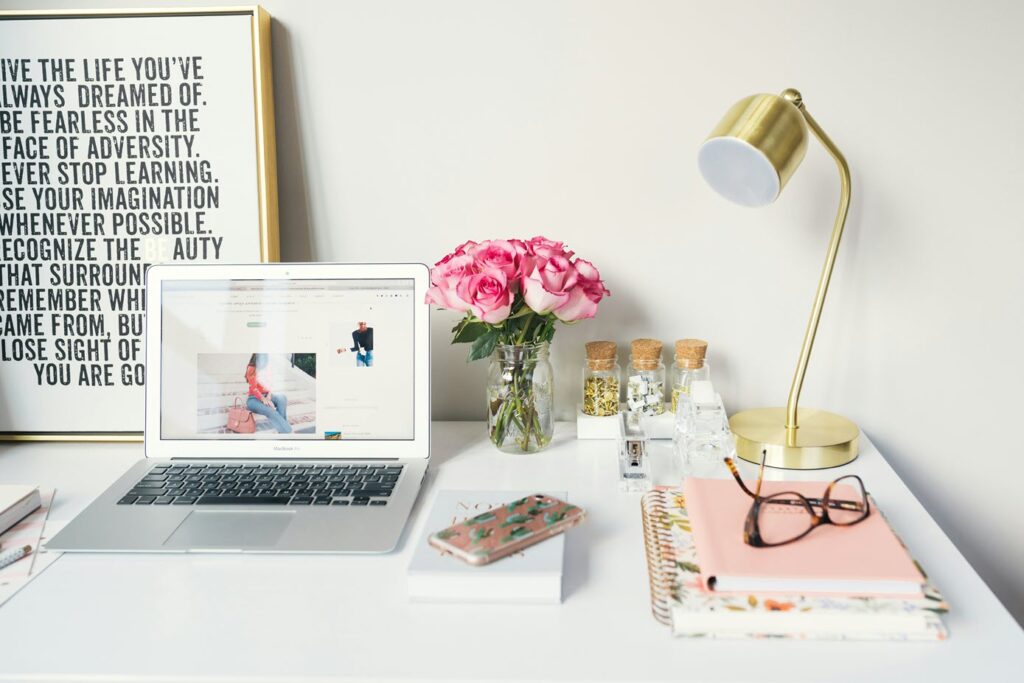
Blogs/Articles > Home Offices – Crafting Your Productive Haven at Home

Latest: Home Offices – Crafting Your Productive Haven at Home

With home offices becoming the new norm now, we see a fair share of spaces thrown together without much thought of function, productivity or aesthetics. Maybe you’re thinking about starting that ‘work from home’ life but have no idea where to start. I’m here to help! Over the past couple of months we have had many people approach us needing help with their home office, talking about the best layout for them and how to work it around their own personal style. Of course, every home office is different and consumers expect different things.

However, hopefully I can aid in the beginning of your new working adventure with a few key tips to ensure you create a comfortable yet functional workspace at home.

Tip 1 – Where To Set Up Your Desk

First let’s decide where to set up. It is essential you are more than satisfied with the location of your workspace so don’t rush this part!

Firstly, ensure your desk has a window view of the outside. There’s nothing worse than spending the majority of your day without some sort of natural light. This being said, try to avoid placing your computer desk directly in front of the window in order to avoid light glaring and shadows projecting off your computer screen. If this can’t be helped, a light filtered roller blind will do the trick. Having natural light will be especially beneficial for people who are drawing or reading papers throughout the day minimising harsh artificial lighting.

Place your desk away from the wall… what? You say. I know! But hear me out. I know it seems like the desk will take up too much floor space but trust me – give it a go. Essentially, you want to open up your work area allowing for more movement around the desk. How do I do this? Well, start by placing the short end of the desk against the wall ensuring the 3 other sides are open. You’ll feel a better sense of space, open to more of your surroundings and limit obstruction. You could also set up behind the sofa in your living room (given that you don’t have a spare room for your desk). Try placing your desk up against the back of the sofa facing the TV – then you can check what the kids are watching while your work #winning!


Tip 2 – Invest In Your Comfort

Since you’ll be spending a lot of time here, your new respectable workspace, it is important to invest in furniture that will benefit you. Here are some things to consider. A comfortable chair is crucial for a suitable work environment. Whether it’s soft padded, has a tall reclining back or has arm rests. Whatever suits your needs – it’s up to you! Perhaps you may also consider a standing desk alongside a pivot stool. This is where Emanate Design comes in! Assessing the ergonomics is significant. Explore the large range of products available to find the most suitable office furniture for you. Listen to your body, check in with your posture and be aware of a fitting computer screen eyeline.

Tip 3 - Ensure Proper Lighting

Having natural lighting is, of course, most ideal. So, attempt to designate your workspace around windows where natural light seeps in. Natural light not only reduces eye strain but also has mood-boosting benefits. However, I know this isn’t always possible. In this case, artificial lighting is also an option. You could invest in adjustable lighting as well as ambient lights. The combination of overhead ambient lighting alongside task lighting (such as a desk lamp) can enable a well-balanced illumination within your work environment.

A desk lamp with an adjustable arm allows for flexibility to direct light where it is needed most. This will induce significant productivity for those who require direct light for tasks such as drawing, reading and writing documents etc. Be mindful of where you place artificial lighting. It is most effective when it is evenly spread across the whole workspace.
Ultimately, the choice of lighting is yours.

For those of you who have dimmer switches at home – take advantage of them! As the daylight dims, adjust the brightness of your overhead ambient lighting. Lower intensity lighting may signal to you that it is time to wind down. Knowing when to stop and rest is so important to maintain a balanced work/home life.

Tip 4 - What Supplies Will Benefit You?

What supplies do you need? Write a list and prioritise the important items (no you don’t need that fluffy oversized glitter pen). If you’re on a tight time frame or budget; you can easily work with the basics. This may include (assuming you already have a laptop/computer) a monitor, mouse, printer and relevant office supplies. If you use more than just a laptop, make sure you have access to power nearby. If you are a laptop user, perhaps look into buying a wireless keyboard accompanied by a laptop stand to ensure you’re not staring down at your screen. Nobody wants a hunchback! If a laptop stand is completely off the cards, then here’s an extra little tip for you: CTRL + Scroll to increase font size. I got your back.

Other useful extra bits might be a whiteboard, a calendar or a planner as a visual aid during your working days. Nothing worse than forgetting about an important deadline!

Whatever else your heart desires, create your workspace with efficiency and productivity in mind.

Tip 5 - Organise!

If you have a laptop or a computer, it is inevitable there will be wires and cables invading your workspace – and I know we’re all guilty of just pushing them to one side hoping that will be enough. Except, we’re looking to be productive and efficient. A sure way to accomplish this is to limit the amount of clutter on your desk by organising your wires. Not only does this get rid of the eye sore that is the relentless amount of cables that lead to god-knows-what but it makes it easier to identify possible technical issues that may crop up. Anything along the lines of cable clips and ties are enough to keep them all in one place, preventing them from tangling or breaking. Hey! Why not take it one step further? Cable sleeves are a great way to bundle multiple wires together and minimise the visual strain within your space – and then label them. Or, as the modern day allows it, go wireless where possible.

There are many other ways to ensure that cable and wires are not crossed. Have a research and look into what may be most useful in terms of your needs.

Tip 6 - Storage Is Essential

Let’s be honest. The budget doesn’t always allow for excessive amounts of office equipment and furniture. Generally, you have to pick and choose. Though I do believe that storage is required, I’m not expecting everyone who reads this to instantly buy new drawers, boxes etc. What I can suggest is instead to utilise the space you already have. Do you have a wardrobe full of unnecessary clutter that you could clear out? Or have a spare cabinet? We all do. Spend some time clearing a space big enough for your work and then some.

However, if you’re ready to splash that cash then here are a few things you might like to have for sufficient storage space. A good tip to follow is to store vertically. Whether this is a vertical cupboard or floating shelves – it minimises the amount of space used. Having some sort of storage that conceals its contents such as cabinets with drawers or doors aids in maintaining that streamlined aesthetic. Multifunctional furniture that doubles up as storage as well as a side table is effectively also using less space. Go crazy!

Tip 7 - Make It Your Own

Now, taking in all that has been discussed, it’s time to make it your own. You are far more likely to be productive in your space if it truly feels like your own space. Draw off of your own personal preferences and correlate what pieces of furniture you identify most with, along with items that inspire you or will promote a productive work environment. Take into account the tips I have provided so far and adhere them to what suits you best.

Tip 8 - Limit Distractions

Distractions! Are you reading this blog as a distraction? Wait, don’t leave! This is a tough one but experiment with what works for you. When I worked in a shared office, I couldn’t wear earplugs as I was constantly moving around attending to matters beyond my computer work. Now that it’s just me at home I have the music/podcast playing out loud, something to indicate to my family that I am in full on work mode. Equally, you can stick your headphones on and work away. You can’t concentrate with background noise? Easy enough. Invest in some earplugs, especially if the kids are home. You’ll thank me later 😉

Hopefully we have provided you with some great tips to make working from home an overall more comfortable and enjoyable experience.

If you need any more advice on how to construct the perfect set up at home, contact our team at Emanate Design.

Copyright © 2023 Emanate. All Rights Reserved.